Protecting Your API: A Simple Guide to Rate Limiting in Spring Boot
Secure your Spring Boot APIs from scraping and DoS attacks by implementing rate limiting. This guide walks through the Token Bucket algorithm using the Bucket4j library, providing a step-by-step implementation for reliable request throttling.
Author
Viruchith Ganesan
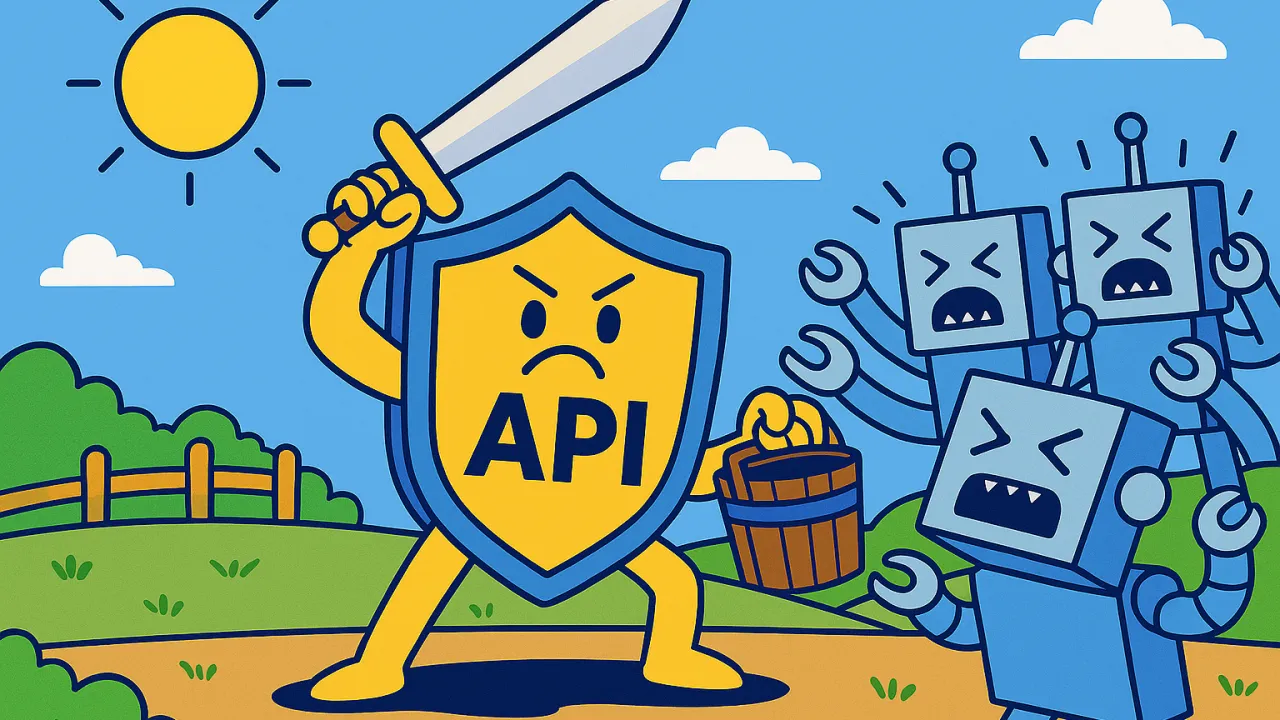
In the era of interconnected services, your Application Programming Interfaces (APIs) are the front doors to your application’s data and functionality. Just like a physical door, you need a way to control who enters and how fast. This is where rate limiting comes in—a crucial defensive technique that throttles the number of requests a client can make within a specific timeframe. Without it, your application is vulnerable to abuse, from malicious attacks to unintentional overloads.
Why Rate Limiting is Non-Negotiable: The WhatsApp Example
The importance of robust rate limiting was starkly highlighted by incidents involving major platforms like WhatsApp. Attackers have exploited vulnerabilities in APIs—such as the contact discovery feature—that lacked proper rate controls.
Imagine an endpoint designed to check if a phone number is registered on the service. Without a rate limit, an attacker could write a script to automatically cycle through millions of random phone numbers, effectively scraping the platform to build a massive database of active user active users. This isn’t a traditional hack that breaks into a server, but rather an abuse of legitimate functionality at a massive scale.
This real-world example demonstrates that rate limiting is not just about performance; its a fundamental security control against data scraping, brute-force attacks, and Denial-of-Service (DoS) attempts.
Common Rate Limiting Strategies
There are several algorithms to implement rate limiting, each with its own pros and cons.
- Fixed Window: The timeline is divided into fixed windows (e.g., 1 minute). A counter tracks requests within each window. If the limit is exceeded, further requests are dropped until the next window begins.
- Sliding Window Log: This approach keeps a log of timestamps for each request. To check if a new request is allowed, it counts how many timestamps fall within the window (e.g., the last 60 seconds) leading up to the current moment.
- Token Bucket: This is one of the most popular and flexible strategies. Imagine a bucket that is constantly refilled with tokens at a fixed rate. Each API request must take a token from the bucket to proceed. If the bucket is empty, the request is denied.
Simple Implementation in Spring Boot using Bucket4j
Let’s implement a simple, in-memory rate limiter using the Token Bucket algorithm with the popular Java library Bucket4j. We will limit requests based on the client’s IP address.
1. Add the Dependency
First, add the bucket4j-core dependency to your pom.xml file.
<dependency>
    <groupId>com.github.vladimir-bukhtoyarov</groupId>
    <artifactId>bucket4j-core</artifactId>
    <version>7.6.0</version>
</dependency>
2. Create a Rate Limiting Service
This service will manage a bucket for each client IP address.
mport io.github.bucket4j.Bandwidth;
import io.github.bucket4j.Bucket;
import io.github.bucket4j.Refill;
import org.springframework.stereotype.Service;

import java.time.Duration;
import java.util.Map;
import java.util.concurrent.ConcurrentHashMap;

@Service
public class RateLimitingService {

    private final Map<String, Bucket> cache = new ConcurrentHashMap<>();

    public Bucket resolveBucket(String clientIp) {
        return cache.computeIfAbsent(clientIp, this::createNewBucket);
    }

    private Bucket createNewBucket(String clientIp) {
        // Define the limit: 10 requests per minute
        Bandwidth limit = Bandwidth.classic(10, Refill.greedy(10, Duration.ofMinutes(1)));
        return Bucket.builder()
                .addLimit(limit)
                .build();
    }
}
3. Create a Rate Limiting Filter
A filter will intercept every incoming HTTP request to check against the rate limit before it reaches your controller.
import io.github.bucket4j.Bucket;
import io.github.bucket4j.ConsumptionProbe;
import jakarta.servlet.Filter;
import jakarta.servlet.FilterChain;
import jakarta.servlet.ServletException;
import jakarta.servlet.ServletRequest;
import jakarta.servlet.ServletResponse;
import jakarta.servlet.http.HttpServletRequest;
import jakarta.servlet.http.HttpServletResponse;
import org.springframework.http.HttpStatus;
import org.springframework.stereotype.Component;

import java.io.IOException;

@Component
public class RateLimitFilter implements Filter {

    private final RateLimitingService rateLimitingService;

    public RateLimitFilter(RateLimitingService rateLimitingService) {
        this.rateLimitingService = rateLimitingService;
    }

    @Override
    public void doFilter(ServletRequest servletRequest, ServletResponse servletResponse, FilterChain filterChain)
            throws IOException, ServletException {

        HttpServletRequest request = (HttpServletRequest) servletRequest;
        HttpServletResponse response = (HttpServletResponse) servletResponse;

        // Get the client's IP address
        String clientIp = request.getRemoteAddr();

        // Get the bucket for this IP
        Bucket bucket = rateLimitingService.resolveBucket(clientIp);

        // Try to consume a token
        ConsumptionProbe probe = bucket.tryConsumeAndReturnRemaining(1);

        if (probe.isConsumed()) {
            // If allowed, add a header showing remaining tokens and proceed
            response.addHeader("X-Rate-Limit-Remaining", String.valueOf(probe.getRemainingTokens()));
            filterChain.doFilter(request, response);
        } else {
            // If denied, return 429 Too Many Requests and a "Retry-After" header
            long waitForRefill = probe.getNanosToWaitForRefill() / 1_000_000_000;
            response.setStatus(HttpStatus.TOO_MANY_REQUESTS.value());
            response.addHeader("X-Rate-Limit-Retry-After-Seconds", String.valueOf(waitForRefill));
            response.getWriter().write("Too many requests. Please try again later.");
        }
    }
}
4. Test It Out
Create a simple controller and try sending more than 10 requests within a minute. The first 10 will succeed, and subsequent requests will receive a 429 Too Many Requests response until the bucket refills.
Conclusion
Implementing rate limiting is a critical step in building secure and resilient APIs. As shown by high-profile data scraping incidents, failing to do so exposes your application and user data to significant risk. By understanding strategies like the Token Bucket and using libraries like Bucket4j, you can easily add this essential layer of defense to your Spring Boot applications. For production environments with multiple application instances, you would typically use a distributed cache like Redis to share rate limit data across all servers.