Demystifying Git: How Your Local Machine Tracks Code Without a Database
Ever wonder how Git tracks changes without an SQLite database? Discover Git's hidden architecture, from content-addressable storage to snapshot optimization.
Author
Viruchith Ganesan
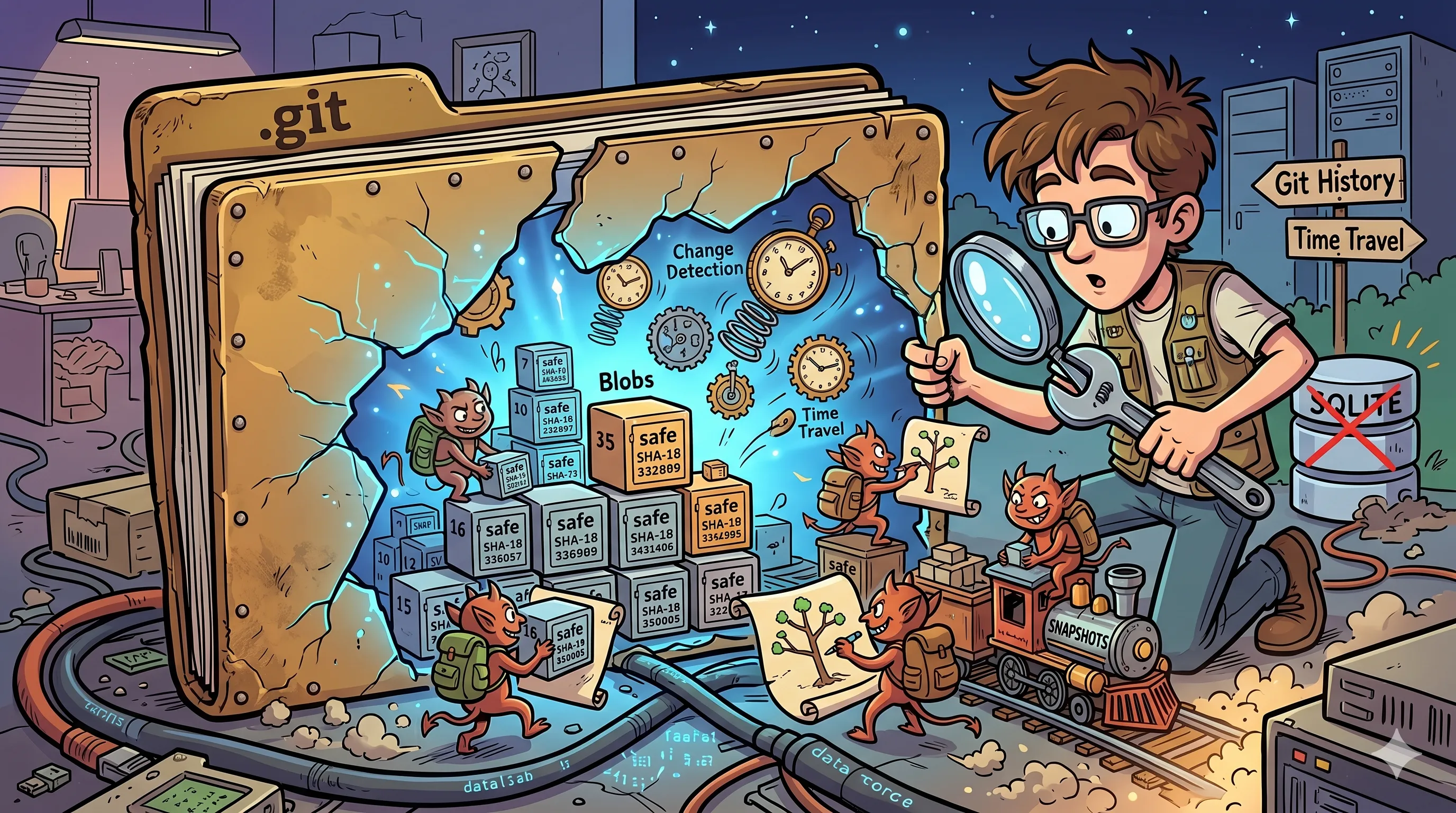
It’s a common assumption when you first start using Git that there must be a standard relational database, like SQLite, running under the hood to manage all that history. But the reality is much more elegant.
Instead of a traditional database, Git relies on a simple, highly optimized Content-Addressable Key-Value Store built directly onto your local file system, combined with smart OS metadata caching.
Here is a technical deep dive into exactly how Git tracks your files locally, stripped of the magic.
1. The Local Engine: What is a Content-Addressable Key-Value Store?
To understand Git, you have to understand its core storage mechanism. In a standard file system or a traditional database, you look up data by its address or name (e.g., “Open the file at /users/documents/notes.txt” or “Select row where id = 5”).
A Content-Addressable Store flips this upside down. It doesn’t care where the file is or what it’s named. It only cares about what is inside the file.
The Key-Value Mechanism
- Git takes the content of your file.
- It runs that content through a cryptographic hashing algorithm (traditionally SHA-1).
- The resulting unique 40-character hexadecimal string becomes the Key.
- The compressed content itself becomes the Value.
If you change even a single comma in that file, the hash changes completely, resulting in a brand-new key.
A Simple, Real-World Example
Imagine a high-tech library with a unique rule: books don’t have titles, and they aren’t organized by author.
Instead, when a new book arrives, a machine reads every single word in the book and generates a unique, magical barcode based strictly on that exact combination of words.
- If you hand the librarian the barcode
A1B2C3..., they will fetch the exact book containing those words. - If two different authors write the exact same book independently, the library doesn’t buy two copies. The machine generates the exact same barcode for both, and the library stores just one physical copy.
That is content-addressable storage. The content is the address.
Common Usage Scenarios
Beyond Git, this architecture is used heavily in modern infrastructure:
- Peer-to-Peer Networks (BitTorrent / IPFS): When downloading a file, you don’t download it from a specific server URL. You request a cryptographic hash of the content, and anyone on the network who has a piece matching that hash sends it to you.
- Build Caching Systems (Bazel, Gradle, Docker): Docker uses content-addressable layers. If a layer’s instructions and files haven’t changed, its hash remains identical, allowing Docker to skip rebuilding it and reuse the cached layer instantly.
- Cloud Storage De-duplication: Services like Dropbox or Google Drive use this to detect if millions of users are uploading the exact same viral video file. They hash the file, notice they already have it stored under that key, and simply point to the existing file rather than wasting server space.
2. Where History Lives: The Core Git Objects
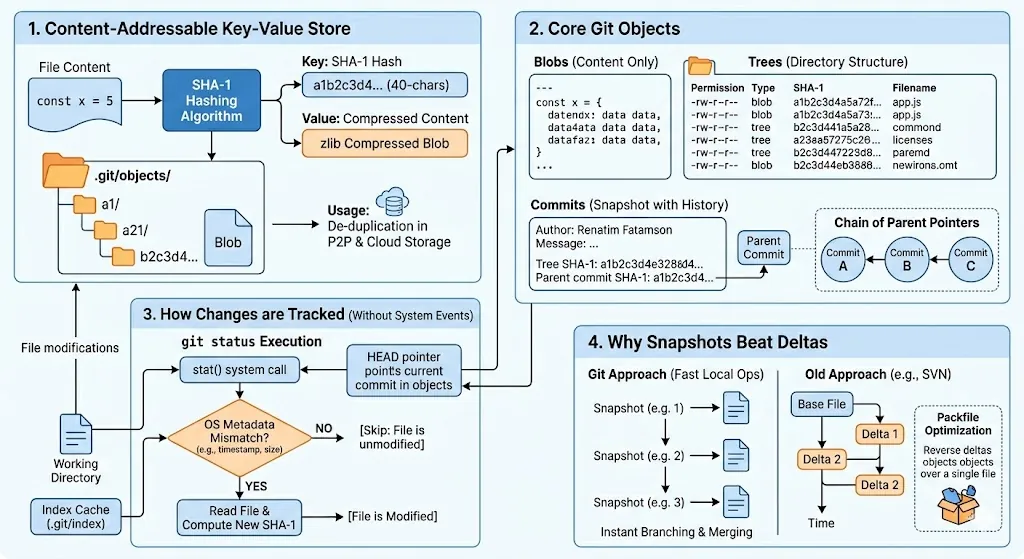
When you run git init, Git creates a hidden .git directory. The absolute heart of this directory is .git/objects/, which is your content-addressable store. Everything Git cares about is broken down into three types of immutable objects:
1. Blobs (Binary Large Objects)
A Blob stores only raw file content. It is completely stripped of metadata—it doesn’t know its own filename, directory path, or timestamps. It is just the raw text or binary data, compressed using zlib and keyed by its SHA-1 hash.
2. Trees
Since blobs don’t know filenames, Git uses Tree objects to represent your folder structures. A tree object is essentially a text directory listing. It contains rows of data specifying file permissions, the type of object (blob or another sub-tree), the SHA-1 hash of that object, and the actual filename.
3. Commits
A Commit object ties everything together. It is a small text file containing:
- A pointer to the top-level Tree (the structural snapshot of the whole project at that moment).
- The author and committer details (name, email, timestamp).
- The commit message.
- A pointer to the SHA-1 hash of the parent commit(s). This chain of parent pointers forms your project’s history graph.
3. How Git Detects Modifications Safely and Fast
If Git doesn’t use a live running database, how does git status instantly know you modified a file? Does it listen to OS file system events?
By default, no. Git does not continuously listen to OS events (like inotify on Linux or FSEvents on macOS). Instead, it utilizes an extremely fast comparison cache called the Index (stored in .git/index), also known as the Staging Area.
The stat() Cache Comparison
When you run git status, Git executes a rapid system call called stat() on every file in your working directory. It compares the file’s current live OS metadata against the cached metadata saved in the Index file.
Specifically, Git cross-checks:
- Modification Time (
mtime) — Has the timestamp changed? - File Size — Is the file larger or smaller?
- Inode number / Device ID — Has the file system descriptor changed?
If the mtime and file size match perfectly with the entry in the Index, Git safely assumes the file has not been modified and skips reading it entirely. This is why Git can evaluate status across hundreds of thousands of files in milliseconds. Only if the metadata mismatches will Git open the file, re-hash it, and flag it to you as “Modified”.
4. Why Snapshots Beat Deltas
Older version control systems (like SVN) are delta-based. They store a base version of a file and then record a sequential chain of line-by-line differences (, ) over time.
Git purposefully rejected this. It stores Snapshots. Every time you modify and stage a file, Git stores the entire file content anew as a fresh blob.
While this sounds like it would ruin your hard drive’s storage capacity, it provides incredible architectural advantages:
Lightning Fast Time Travel and Branching
In a delta-based system, checking out a commit from a month ago means the computer has to calculate and apply thousands of historical diffs sequentially to reconstruct what the files looked like.
In Git, switching branches or checking out old commits is nearly instant. Git doesn’t calculate anything; it just looks at the commit’s Tree object, unzips the compressed blobs directly into your folder, and updates a 41-byte text pointer file representing your branch (e.g., .git/refs/heads/main).
The Secret Optimization: Packfiles
To prevent repository bloat from all these full-file snapshots, Git implements an offline optimization process called Packing.
When you are actively coding, Git stores everything as loose, individual snapshot objects. Periodically (or when running git gc or pushing to a remote), Git runs a garbage collection pass. It looks for files with similar names and sizes across your history, clusters them, and compresses them into a single binary format called a Packfile (.pack).
Inside the packfile, Git actually does use delta compression! However, it uses it in reverse: it saves the most recent version of your file as a complete snapshot (because that’s the one you access most often) and stores older historical versions as backward deltas.
Conclusion
Git avoids the overhead of a traditional database by utilizing the file system itself as a highly reliable, content-addressable key-value engine. By relying on metadata caching for change detection and pairing immutable snapshots with reverse-delta compression, Git achieves the ultimate software engineering trifecta: absolute data integrity, blazing-fast speed, and efficient disk storage.